Starter CRM

A CRM with calling and texting, ready to make your own

Contacts, a pipeline, a shared inbox and a softphone, built on Building Blocks. Copy the template, add your API key and run it on your laptop.

Free and MIT licensed. Node.js or Python, React or plain JavaScript.

What you get

The screens your users expect, already working

Every page runs on real Drop Cowboy® APIs and Building Blocks, so you start from something your users can use today.

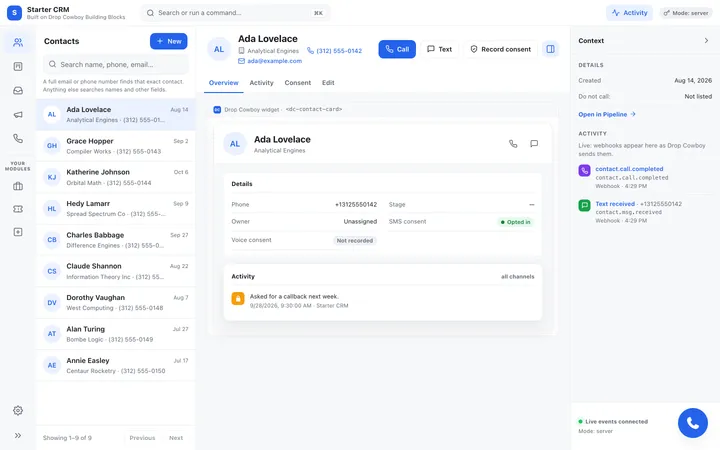
  • A contact list with search, and a page for each contact with Call, Text and consent
  • A pipeline board: drag a card to change its stage
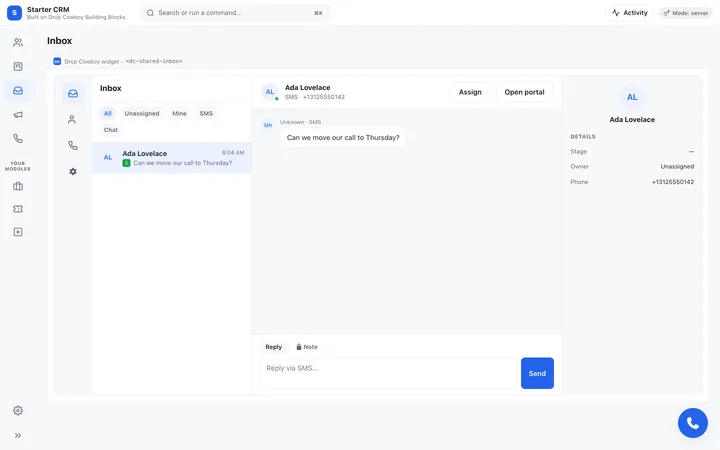
  • A shared inbox for texts and chats
  • Campaigns, phone numbers and live webhook activity
  • A command palette: press Ctrl+K to find a contact, call or text
See the code
A contact's page in the Starter CRM: the contact list, the contact card with Call, Text and Record consent buttons, and live webhook activity

Make it yours

Each change has one obvious place to make it.

Your sign-in

Replace one function, requireUser(), with your own login. Every token is minted for the user it returns.

Your brand

Every colour is a CSS variable, and the Building Blocks take your brand colour too. Light and dark mode included.

Your screens

Add a page under Your modules for deals, tickets or anything else your users need.

Your server

Node.js and Python servers with the same routes, and a written contract for porting them to anything else.

Your AI assistant

An AGENTS.md file and the simple CRM skill teach Cursor or Claude how the app fits together.

Tests included

Unit, contract and browser tests run against a fake Drop Cowboy, so you can change the app and know it still works.

Running in ten minutes

  1. Copy the template

    Click Use this template on GitHub to get your own copy of the code, private or public.

  2. Add your API key

    Copy .env.example to .env and fill in an API key from the dashboard, under Developers > API keys.

  3. Start a server

    Run npm start in server/node, or python -m starter_crm in server/python, then open the address it prints in your browser.

Run it

From the folder you copied, after filling in .env.

Node.js
# Node.js 22.12 or newer
cd server/node
npm install
npm start
# then open the address it prints
Python
# Python 3.9 or newer
cd server/python
python3 -m venv .venv
source .venv/bin/activate
pip install -r requirements.txt
python -m starter_crm
# then open the address it prints

Texting and calling

A shared inbox and a softphone on every page

The Dock adds calling, texting and an inbox with one script. Calls and texts run on your own carrier account, connected in Drop Cowboy.

  • Click Call or Text on any contact and the Dock opens with the number filled in
  • Replies land in the shared inbox, next to the contact's details
  • Record consent a contact gave you, so calls and texts to them pass the consent check
Explore Building Blocks
The shared inbox Building Block inside the Starter CRM: a text conversation, a reply box and the contact's details

Setup checklist

It tells you what your account still needs

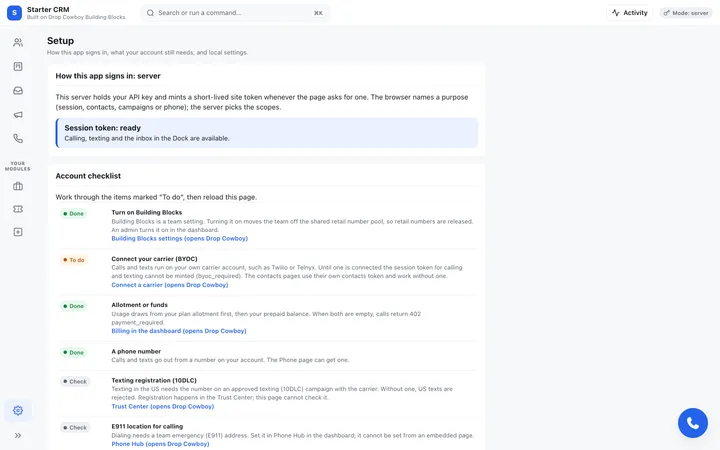
The Setup page checks your account and links to each fix. Contacts and the pipeline work before any of them.

  • A connected carrier account, for calling and texting
  • Funds on your account
  • A phone number
  • Texting registration for that number
The Starter CRM Setup page: how the app signs in, and an account checklist marking each item Done, To do or Check

Questions

Is it free?
The code is free and MIT licensed: copy it, change it and ship it. Calls, texts and phone numbers are charged to your Drop Cowboy account like any other usage.
Do I need a carrier account?
Not to start. Contacts and the pipeline work right away. Calling and texting run on your own carrier account, such as Twilio or Telnyx, and the Setup page links to where you connect one.
Where can I host it?
Anywhere that runs Node.js 22 or Python 3.9: your own server, a container or a cloud platform. Keep your API secret on the server, never in a web page.
Do I have to use React?
No. There are two front-ends with the same pages: React 19, and plain JavaScript with no build step.
Can an AI coding tool change it for me?
Yes. The repository includes an AGENTS.md file that explains how it fits together, and the Drop Cowboy MCP server can mint a development token for it without an API key on disk.

Make it yours this week

Copy the template, add your API key and give your users calling and texting inside your own CRM.